Rules to make those work video calls less of a drag
The likes of Zoom, Skype and Hangouts have brought an added layer of awkward delays and pixelated faces to our meetings, staff briefings and catch-ups. But there are ways to make the experience less painful and more productive.
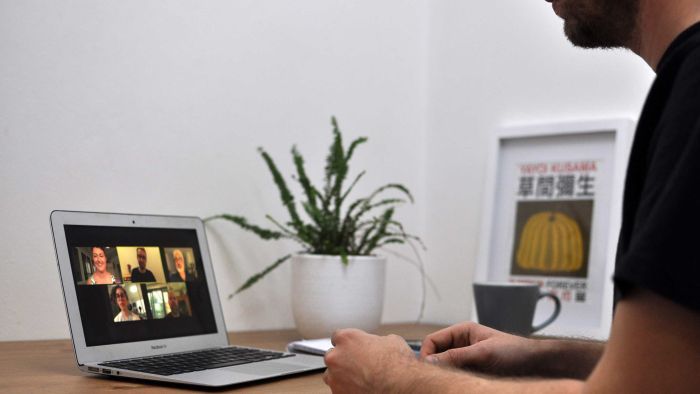
For many of us lucky enough to still have a job, video calls are suddenly a huge part of work.
It’s not new technology. And it’s not new to most workplaces.
But with us all having to keep our distance, the likes of Zoom, Skype and Hangouts have brought an added layer of awkward delays and pixelated faces to our meetings, staff briefings and catch-ups. And there’s also the problem of ‘Zoombombing’.
There are ways to make the experience less painful and more productive.
So mute your mic and read on.
No really, turn off your mic
It doesn’t matter how quiet you’re trying to be — a headphone microphone will pick up your heavy breathing, or the scratching of your clothes brushing against it.
Your laptop mic will capture your dog, and the kids in the next room, and the kettle boiling.
Every app’s a little different, but every app has a mute button. Find it. It’s your friend.
Look at the camera
It’s only natural. Your face is right there on the screen. You’re going to look at it, check your hair. Are those bags under your eyes?
But business coach Colin James says you should try to avoid checking out your own video.
“Imagine if we were all sitting in a meeting in a real space and everyone had a mirror in front of them and they just looked at themselves in the mirror,” he tells ABC RN’s This Working Life.
You might like


“That’s what it looks like on these video conferences — people are just gazing wistfully at their faces.”
Mr James says you should look at the camera, imagining you’re looking into the eyes of the person speaking.
He admits it can take practice, but says it pays off.
“The moment your eyes are distracted, the quality of the connection is compromised. But when people feel seen, then the quality of communication is enhanced,” he says.
Silence can mean yes
It’s the worst. The person running a meeting explains something and asks: “So does that all make sense to everyone?”
“Ye- … yes … wait … after you … should I go? … sure … yes … OK,” come the time-delayed responses, distorted as people speak over each other.
The only thing worse is a follow up — “so was that everyone?” — which can kick it all off again.
Mr James says it’s easier to take a silence as an agreement, with people speaking up if they have a comment or issue.
Get to the point
When it comes to virtual meetings, sometimes less is more.
Mr James says some people on calls can tend to ramble and “think with their mouths”. He suggests taking some notes of what you want to say first.
“When you are contributing, contribute consciously. Bring focused intent behind your message,” he says.
“This makes the experience much more beneficial for everyone.”
Have someone direct traffic
To prevent the chaos of people speaking over each other or all waiting, worried they’ll cut someone else off, put someone in charge.
Mr James says it works much better than just asking the group for a general response.
“It’s as simple as, ‘OK, I’m just going to get some points of view on this last conversation. Steve, we’ll start with you. And then I’ll go to Jennifer. Steve, what do you have to say?’”
“‘All right, Jennifer, and the next person I’ll be talking to is Bruce. So Jennifer, what do you have to say?’
“That gives the following person a little have time to prepare. And calling people by name manages the traffic far more effectively.”
Stay informed, daily
He says it can also help to intervene when people have gone off track.
“Particularly when it comes to time. When you don’t have that visual cue around you, you can get lost in your own head. And you may not be aware of how much time you’re taking up.”
Stop intruders crashing your meeting
For conferencing software like Zoom, the ease with which people can hop on a video call has presented a downside: all people need to gatecrash is the meeting link.
Meetings have been crashed by people, and while some of it is funny, there have also been reports of crashers sharing graphic content.
To stop that, don’t share meeting links on Twitter or other places where people you don’t want joining can find them.
Also take a look at the meeting security settings — there are ways to restrict who can join and to stop people who aren’t the host from screen-sharing.
It’s the not same — and that’s OK
Whatever software you’re using, the University of Melbourne’s Frank Vetere wants you to temper your expectations a bit.
“There’s an expectation that they be as good as face-to-face,” he says.
“There’s a risk that we have undue expectations of the technology, that somehow it’s a replacement for that more intimate connection.”
Professor Vetere studies human and computer interaction and how to better design user experiences.
He says a video conference is always going to be different to an in-person meeting or chat, but urges people to make the most of the advantages the tech has.
“We don’t complain that telephones are not the same as face-to-face. We just accept them for what they are,” he says.
Get creative
For all the annoying quirks, and the things people get wrong with video calls, Professor Vetere is still excited.
He wants more people to break out of their little boxes on a Zoom meeting, explore the technology, and get creative. During, and after work.
“People who’ve been remote from their partners or their families have been using this video technology for cooking together, eating together, for playing games,” he says.
“That sort of stuff has been going on for a long, long time, we’re just seeing much more overtly now.
“People are singing together, they play music together. So the idea is not necessarily new, but it’s taking off a lot more.”
He urges people to change things up: call on your phone instead of a laptop, switch to your phone’s other camera to show the scenery around you.
“Try cooking with someone on a mobile on a video conference. It might seem a bit weird, but the actual process of trying to do that can be a lot of fun,” he says.
“It’s only through that creativity that we’ll start to see what’s possible and what’s not. So it’s a really exciting time.”
– ABC / Nick Wiggins and Maria Tickle for This Working Life
Want to see more stories from InDaily Qld in your Google search results?
- Click here to set InDaily Qld as a preferred source.
- Tick the box next to "InDaily Qld". That's it.